Unicode substitution mode
Cursive Copy and Paste – Fancy Text Generator
Type a name, pick a style, copy it into your bio or caption. 18 fancy cursive styles, a live character counter for each platform, and a compatibility label on every style so you know if it will show as boxes on older phones.
- 18 fancy styles
- One-click copy
- Character counter
- Works in any text field
01 The copy-paste tool
18 styles. Click, copy, paste.
Heads up: Some platforms — older Instagram builds, old Android phones and some in-app browsers — may show certain Unicode cursive characters as empty boxes “□”. Font Render always displays correctly, so use it whenever the text must survive everywhere.
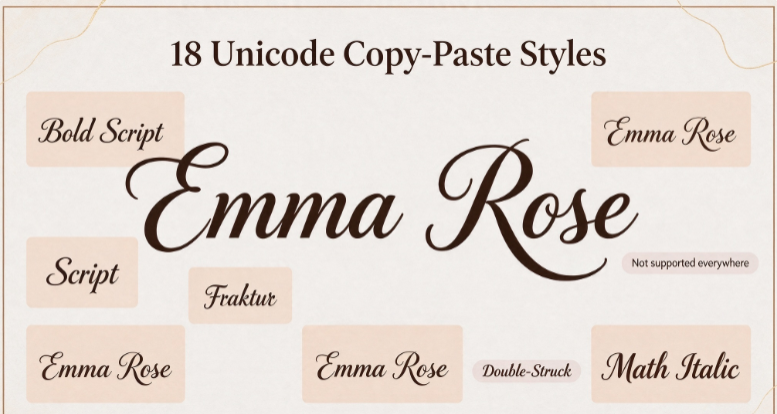
18 Unicode copy-paste styles
Click any card to copy that style · check the compatibility tag first
Copy-paste styles substitute real Unicode characters, so they work in plain-text fields — but they are not a font. Green styles are BMP-safe and render almost everywhere. Amber styles use Plane 1 characters that older devices may miss. Red styles mix planes and are the least predictable across apps.
How to use cursive copy and paste
1. Type your text
Enter a name, word or short phrase in the box at the top. You’ll see it previewed in every style at once.
2. Pick a style
Click any of the 18 style cards. Each has a coloured label: green means it works almost everywhere, amber means some letters may show as boxes on older devices.
3. Copy and paste
Click a card to copy its text, then paste into Instagram, TikTok, Discord or any text field. The counter shows how many characters you have left.
Choosing a style
Bold Script is the heaviest and reads as the loudest. Script is the lighter, engraver’s look. The two Lowercase styles force every letter to small form — the aesthetic most Instagram handles use. Fullwidth and Circled are generally more widely supported than the supplementary-plane styles, but rendering still depends on the device, fonts and app — and being able to display a character does not mean a platform will accept it as a username. If compatibility matters, test on the platforms you plan to use.
Where can you use cursive text
These styles work anywhere you can paste text — bios, captions, comments, display names, messages. The table shows the character limit on each platform and what to watch for.
| Place | Field | Limit | What to watch |
|---|---|---|---|
| Bio | 150 | Instagram does not state the bio limit in its Help Centre; the field stops accepting input at 150 characters. Line breaks are accepted and can make a bio easier to scan, but they do not reduce the character count of styled text. | |
| Discord | About Me | 190 | Discord’s “Custom Profiles” help article states “Up to 190 characters (this includes emojis, markdown text, and links).” Markdown and emoji share the same budget, and this is the one platform here that publishes the number. |
| TikTok | Bio | 80 | Enforced by the app’s bio field; TikTok’s Help Centre does not publish the number. At 80 characters a full styled name plus a call sign is most of your allowance. |
| X / Twitter | Profile bio | 160 | Enforced by the profile editor. The display-name field is 50 characters and does not accept every script character, so test before you commit. |
| YouTube | Channel description | 1000 | The YouTube Data API reference gives the channel snippet.description “maximum length of 1000 characters.” The most generous field here, and the one where a styled channel name is least likely to hurt you. |
Limits come from each platform’s own documentation where they publish one, otherwise from what the field actually enforces, 2026-11-25. Hover the counter above to see which is which.
Which cursive styles work on different devices
Not every style renders on every phone. The table shows, for each style, how many of its mapped letters sit outside the BMP (the range most fonts cover) out of the total it uses — that number is the best predictor of empty boxes on older devices. Counts are taken from this tool’s own character mappings, not from the Unicode block sizes.
| Style | Blocks used | Letters | Outside BMP | Risk |
|---|---|---|---|---|
| Bold Script | Mathematical Alphanumeric Symbols (52) | 52 | 52 / 52 | Renders in most modern apps, can show as “□” on older devices |
| Script | Mathematical Alphanumeric Symbols (41), Letterlike Symbols (11) | 52 | 41 / 52 | Renders in most modern apps, can show as “□” on older devices |
| Bold Script Lowercase | Mathematical Alphanumeric Symbols (26) | 26 | 26 / 26 | Renders in most modern apps, can show as “□” on older devices |
| Script Lowercase | Mathematical Alphanumeric Symbols (23), Letterlike Symbols (3) | 26 | 23 / 26 | Renders in most modern apps, can show as “□” on older devices |
| Bold Fraktur | Mathematical Alphanumeric Symbols (52) | 52 | 52 / 52 | Renders in most modern apps, can show as “□” on older devices |
| Fraktur | Mathematical Alphanumeric Symbols (47), Letterlike Symbols (5) | 52 | 47 / 52 | Renders in most modern apps, can show as “□” on older devices |
| Double-Struck | Mathematical Alphanumeric Symbols (55), Letterlike Symbols (7) | 62 | 55 / 62 | Renders in most modern apps, can show as “□” on older devices |
| Math Bold | Mathematical Alphanumeric Symbols (62) | 62 | 62 / 62 | Renders in most modern apps, can show as “□” on older devices |
| Math Italic | Mathematical Alphanumeric Symbols (51), Letterlike Symbols (1) | 52 | 51 / 52 | Renders in most modern apps, can show as “□” on older devices |
| Math Bold Italic | Mathematical Alphanumeric Symbols (52) | 52 | 52 / 52 | Renders in most modern apps, can show as “□” on older devices |
| Sans-Serif | Mathematical Alphanumeric Symbols (62) | 62 | 62 / 62 | Renders in most modern apps, can show as “□” on older devices |
| Sans Bold | Mathematical Alphanumeric Symbols (62) | 62 | 62 / 62 | Renders in most modern apps, can show as “□” on older devices |
| Sans Italic | Mathematical Alphanumeric Symbols (52) | 52 | 52 / 52 | Renders in most modern apps, can show as “□” on older devices |
| Monospace | Mathematical Alphanumeric Symbols (62) | 62 | 62 / 62 | Renders in most modern apps, can show as “□” on older devices |
| Fullwidth | Halfwidth and Fullwidth Forms (62) | 62 | 0 / 62 | Good on iOS, Android, Windows and macOS |
| Circled | Enclosed Alphanumerics (62) | 62 | 0 / 62 | Good on iOS, Android, Windows and macOS |
| Small Caps | Phonetic Extensions (14), IPA Extensions (8), Latin Extended-D (3), Basic Latin (2) | 27 | 0 / 27 | Frequently falls back to plain letters or boxes |
| Inverted | Basic Latin (22), IPA Extensions (13), Latin Extended-B (5), Greek and Coptic (3), Mathematical Operators (3), Bopomofo (2), Unified Canadian Aboriginal Syllabics (2), Letterlike Symbols (2), Phonetic Extensions (2), other (1), Deseret (1), Latin Extended-A (1), Spacing Modifier Letters (1), Cyrillic Supplement (1), Latin Extended-D (1) | 60 | 1 / 60 | Frequently falls back to plain letters or boxes |
What “mixed” means. Some styles borrow a few letters from a block every font already covers, while the rest sit in a range older devices often can’t draw. The result is one word rendering fine and its neighbour turning into a box. If you have ever pasted script text and seen exactly that, this is why.
How to test a style before you use it
Send it to another device
Paste your styled text into a note and open it on the oldest phone you can find, or message it to a friend on a different operating system. If every letter renders, the style is safe for that audience.
Watch the counter
The counter above shows how many characters your text costs on each platform. A 12-letter styled name takes 12 of 80 in a TikTok bio — most of your allowance gone on one word.
Use the reverse box if it breaks
If a paste comes back as boxes, or you need the plain spelling back, drop it in the reverse box further down. It recovers the original letters for most styles; Small Caps and Inverted may not fully reverse because they borrow letters from blocks without a reverse record.
How Unicode fancy text works
What you copy from this page is not your text in a curly font — it is different letters that happen to look curly. Unicode, the standard behind every text field, defines thousands of decorative letters for maths and technical use, and this tool swaps your letters for those.
That is why the result cannot be made bold, bigger or a different colour once it is pasted: the letter already is a specific drawing, not a style applied to your text. If you need real font control (size, weight, colour, printing), use the font generator instead.
Convert fancy text back to normal text
If someone sends you text in one of these styles and you want the plain spelling back — a bio, a filename, a message — paste it here. It works for the styles drawn from the Mathematical Alphanumeric Symbols block; Small Caps and Inverted may not fully reverse.
Plain text recovered
What each character actually is
Recovery is exact for styles drawn from the Mathematical Alphanumeric Symbols block, where Unicode records what each character stands for. Small Caps and Inverted borrow letters from other blocks that have no such record, so they may not fully reverse — anything not covered is passed through unchanged. There is no small capital X in Unicode, so that letter always stays plain. If you need guaranteed recovery, test the box with the exact text you plan to use.
Limitations of fancy Unicode text
1. It eats your character budget
Each styled character is one Unicode code point, but platforms may count characters differently — characters outside the BMP can use two UTF-16 code units, so treat the counter as an estimate unless you have tested it on the target platform. A 12-letter styled name in a 150-character Instagram bio uses roughly 12 of your 150 on one word; in an 80-character TikTok bio it is most of your allowance.
2. It breaks search
A profile called 𝓔𝓶𝓶𝓪 cannot be found by someone searching Emma, will not appear under E in a member list, and will not pass any form that expects normal letters. For a personal handle that is a choice; for a shop or account people need to find, it is a real cost.
3. Screen readers struggle
Screen readers may announce Unicode character names, use alternative pronunciations, or handle stylised characters differently depending on the software, browser and platform — 𝓐 might be read as “mathematical bold script capital A” or handled in another way. Keep styled text to short display names, never use it for contact details, important information or calls to action.
4. It cannot be restyled
There is no bold, no size, no colour, no italics — the letter already is a specific drawing. Want it bolder? Pick a different style. Want it as a logo? You need a font file — that is what the font generator is for.
Questions people ask
Is copy-paste cursive actually a font?
No. A font is a file that gives shapes to the letters you already typed; these styles are different letters swapped in for the ones you typed. “𝓒” is not a styled C, it is a different character that happens to look like one. That is why the output cannot be resized, recoloured or bolded, and why the font generator exists as a separate tool.
Why do some of these characters show as empty boxes on my phone?
Because the shape is not in any font that app can reach. 14 of the 18 styles here draw their letters from the Mathematical Alphanumeric Symbols block at U+1D400–U+1D7FF, which sits in Plane 1 — above the U+FFFF line that ordinary text fonts cover. A device needs a symbol font reachable from that specific app to draw them, and keyboards, in-app webviews and older Android builds frequently do not have one. Unicode’s own guidance on the block (UTR #25) is that these signs are “intended for use only in mathematical or technical notation”, which is why operating systems do not guarantee them in a text field. The badge on each style tells you how many of its letters live outside the safe plane.
Does Instagram support cursive text in a bio?
Instagram has no font control for bio, caption, comment or name text, so there is no way to apply a font there at all. The only mechanism that exists is pasting the Unicode characters from this page, and Instagram does render the script block. Two catches: the 150-character bio counter treats every decorative letter as one character, and the text stops being searchable for anyone typing the normal spelling. If either matters, post the cursive as an image from the font generator and keep the words plain in the caption. The social preview tool shows the result inside a profile card before you commit.
Can people with screen readers read stylised text?
They can read it, badly. Assistive technology announces a character by its Unicode name, so 𝓐 is spoken as “mathematical bold script capital A” and a four-letter name becomes four long technical phrases. Some readers are smarter about it than others, and some browsers try to normalise compatibility decompositions first, which is what makes 𝓐 recoverable to A at all. The practical rules: keep it to a display name rather than a sentence, never use it for contact details or a call to action, and if the meaning has to land, write it again in plain text.
Why can’t I search for a profile written in fancy letters?
Because the platform compares code points, not appearances. A search for emma looks for U+0065 U+006D U+006D U+0061, and “𝓮𝓶𝓶𝓪” is U+1D4EE U+1D4F6 U+1D4F6 U+1D4F6—no overlap, no match, even though every letter is visibly the same. The same applies to username validation: any field that restricts input to letters, numbers and underscore rejects these characters, because they are not Latin letters as far as the validator is concerned. If a name has to be findable or passable through a sign-up form, use the plain spelling and put the cursive in the display graphic.
What is the difference between the script styles?
Four of the 18 rows come from the script family and they are not interchangeable. Bold Script has heavy downstrokes and reads as the loudest option; Script is the lighter engraver’s look; Bold Script Lowercase and Script Lowercase force every letter to the small form, which is the aesthetic most Instagram handles use. The last two use 26 code points for a 52-letter alphabet, so they cannot show capitals at all — that is a property of the block, not a limitation of this tool.
Can I turn decorative text back into normal letters?
Yes, most of the time, and the box below does it. Unicode records a compatibility decomposition for every character in the Mathematical block, so the browser can be asked what a glyph stands for; that recovers most styles on this page exactly. The exceptions are Small Caps and Inverted, which borrow letters from the IPA and Mathematical-Operators blocks where no such record exists — there the conversion depends on a lookup table, and a handful of characters (there is no small capital X in Unicode at all) simply pass through unchanged.
Which style is safest for a username?
The two whose letters are all inside the Basic Multilingual Plane: Fullwidth (U+FF21–U+FF5A) and Circled (U+24B6–U+24E9). Those blocks are generally well supported across modern systems, but rendering still depends on the device, fonts and app, and a platform accepting a character for display does not mean it accepts it as a username. They look nothing like cursive, which is the trade. Among the cursive-looking options, Bold Script is the most consistently drawn, and any style that mixes planes — the light Script row borrows 11 capitals from the Letterlike Symbols block — is the one that can render half a word and box the other half.